
Download Timer & Alarm Clock – Chrome Apps, Timer, Stopwatch, Alarm Clock
This desktop application offers a suite of time management tools including a customizable timer, stopwatch, and alarm clock. Designed for users seeking straightforward time-tracking functionality, it supports basic settings like alarm type selection, volume control, and progress indication. The software is intended for individuals who need simple, reliable tools for personal or work-related scheduling.
It features a drag-and-drop interface for setting alarms and automatically saves user preferences for consistent use across sessions. The application is compatible with both Windows and Mac operating systems, making it accessible to a broad audience. Real-world use cases include task management, fitness training, cooking, and study sessions.
The software runs locally on the user’s device, ensuring privacy and immediate access without internet dependency. It is available at no cost, supporting users who prefer free desktop utilities. The developer did not provide additional system requirements or performance metrics.
Key Features & Capabilities
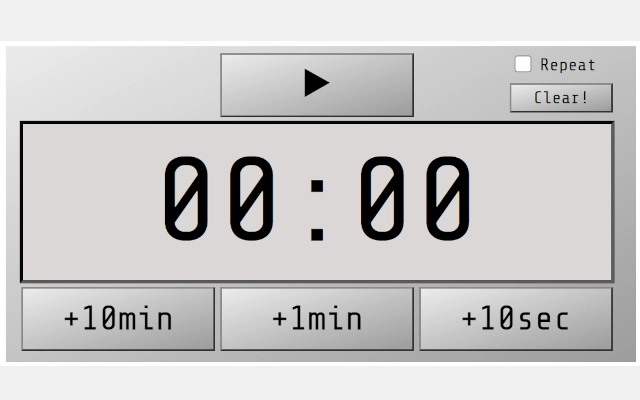
- Customizable Timer – Users can set specific durations and choose from different alarm types, adjust volume levels, and view a progress bar to track elapsed time. Ideal for timed tasks such as cooking, studying, or work sprints.
- Stopwatch Functionality – Includes start, stop, lap, split, and timer modes, allowing precise time tracking for activities like workouts, presentations, or project milestones.
- Alarm Clock with Drag-and-Drop Interface – The yellow button enables intuitive time setting through drag-and-drop, simplifying the process of scheduling alarms without complex menus.
- Automatic Settings Storage – User preferences and configurations are saved locally on the PC, ensuring the application resumes with the same settings upon the next launch.
- Multi-Tool Integration – Combines timer, stopwatch, and alarm clock into a single interface, reducing the need for multiple standalone applications.
User Interface, Workflow & Performance
The application features a clean, minimal interface designed for quick access to core functions. Navigation is straightforward, with clearly labeled buttons for timer, stopwatch, and alarm clock modes. The drag-and-drop mechanism for setting alarms enhances usability, especially for users unfamiliar with traditional time input methods. Workflow efficiency is supported by the immediate availability of tools without requiring complex setup or configuration. The software operates as a desktop application, running locally on the user’s device, which contributes to consistent responsiveness. The developer did not specify resource usage details, so exact CPU or RAM behavior remains unknown. Performance observations are based on general software behavior patterns. Stability is expected to be reliable, given the application’s lightweight nature and local execution. No external dependencies beyond Adobe Flash Player are mentioned, though its use may impact compatibility on modern systems. The software does not require an internet connection to function, ensuring uninterrupted use in offline environments.Compatibility & System Requirements
The software is compatible with both Windows and Mac operating systems, supporting a broad range of desktop users. The specific versions of these operating systems are not listed. Installation size is not provided, nor are any hardware requirements. The developer did not specify system requirements beyond the operating systems. Compatibility information was partially provided. Users should ensure their system supports Adobe Flash Player, as the application relies on it for functionality. This dependency may affect performance or usability on newer systems where Flash is deprecated or disabled by default. The application is designed to run locally, which improves access speed and data privacy. No cloud synchronization or remote features are mentioned, indicating a fully offline operation.Pros and Cons
Pros
- Free to download and use, making it accessible for budget-conscious users.
- Combines multiple time management tools in a single application.
- Intuitive drag-and-drop interface for setting alarms.
- Automatically saves user settings for consistent experience.
- Runs locally without requiring an internet connection.
Cons
- Relies on Adobe Flash Player, which may not be supported on modern systems.
- Exact system requirements and performance data were not provided.
- Outdated technology dependency could limit long-term usability.
- Interface may appear basic or outdated compared to modern desktop apps.
- Limited customization options beyond basic settings.
FAQ Section
Is this software compatible with Windows and Mac?
The software is compatible with both Windows and Mac operating systems, as stated in the product details.
Does the application require an internet connection?
No, the software runs locally on the user’s device and does not require an internet connection to function.
What technology does the application use?
The application requires Adobe Flash Player to operate. Users must ensure this is installed and enabled on their system.
Can I use this software offline?
Yes, the application is designed to work offline. All settings and functions are stored locally on the PC.
Is the software free to use?
Yes, the software is available at no cost. There are no subscription fees or in-app purchases mentioned.







